Gutenberg Technology CMS
Improving AI-Assisted Authoring Through Research-Backed Workflow Redesign
Overview
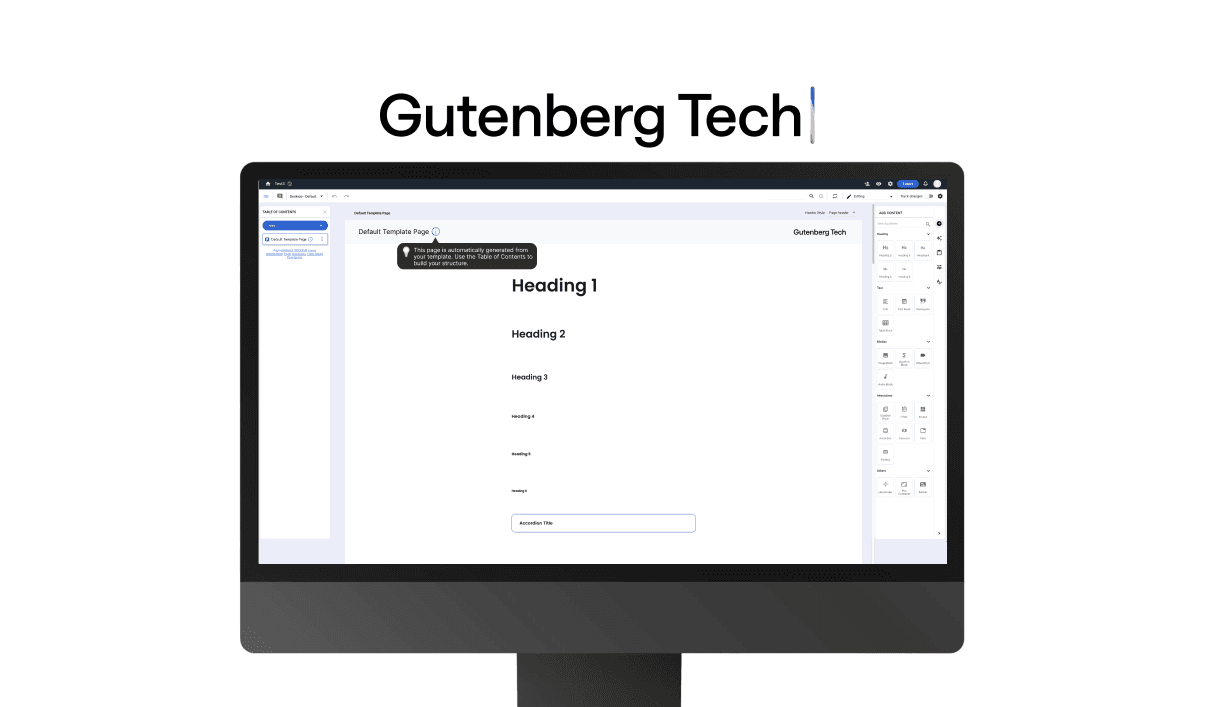
I led the research and interaction design for Gutenberg Technology's CMS authoring experience, an enterprise EdTech platform where educators create interactive learning materials. Over 3 months, I conducted 9 eye-tracking usability studies paired with retrospective think-aloud protocols to identify why users struggled to progress from exploration to content creation. I translated those insights into system-level design solutions that addressed structural friction, improving usability from a below-benchmark score of 60 to evidence-based recommendations that directly informed Gutenberg's 2026 authoring flow refactor.
My Contributions
Led end-to-end research: developed study plan, wrote the moderator script, recruited 9 participants, facilitated eye-tracking sessions, analyzed data, and calculated SUS scores
Designed interaction solutions translating research into visual mockups
Managed project timeline, team coordination, client communication, and shipped delivery to client
My Role
UX Researcher
Interaction Designer
Project Manager
Team
Gloria Yang (Me)
Atharva Nayak
Grace Ho
Karla Santamaria
Tools
Tobii
Private Panels
Google Analytics
Figma
Zoom
Timeline
3 months
Sep – Dec 2025
Context
Launching AI Features on Top of Outdated Workflows
Gutenberg Technology was launching a new "Generate with AI" beta feature to help educators and instructional designers, the platform's primary users, generate interactive learning materials faster within its CMS authoring platform. But while the product was evolving, the core authoring experience had not been meaningfully updated for years. For new users without prior platform exposure, there was a critical gap: they struggled to understand where to begin, how different parts of the system connected, and how to move from exploration into actual content creation.
The issue was not missing functionality or visual polish. The interface felt familiar on the surface, but the underlying workflow lacked clarity and guidance. As a result, users relied on trial-and-error rather than understanding how the system actually worked. This created friction at the exact moment where engagement matters most: onboarding and first-time content creation.
Problem
Users Could Recognize the Interface, But Struggled to Create Content
The CMS used familiar interface patterns that initially gave users confidence. However, that familiarity quickly broke down once they attempted real authoring tasks.
Users consistently struggled across three critical dimensions:
😖
Where to Begin
The starting point conflicted with user expectations and created friction early in onboarding.
🤔
How to Navigate
Moving between different parts of the system felt disconnected and unpredictable.
😣
How Actions Connect to Outcomes
Users could not clearly understand what the system was doing or why, making content creation feel confusing and unreliable.
Research Approach
Understanding User Behavior Through Eye-Tracking and Usability Testing
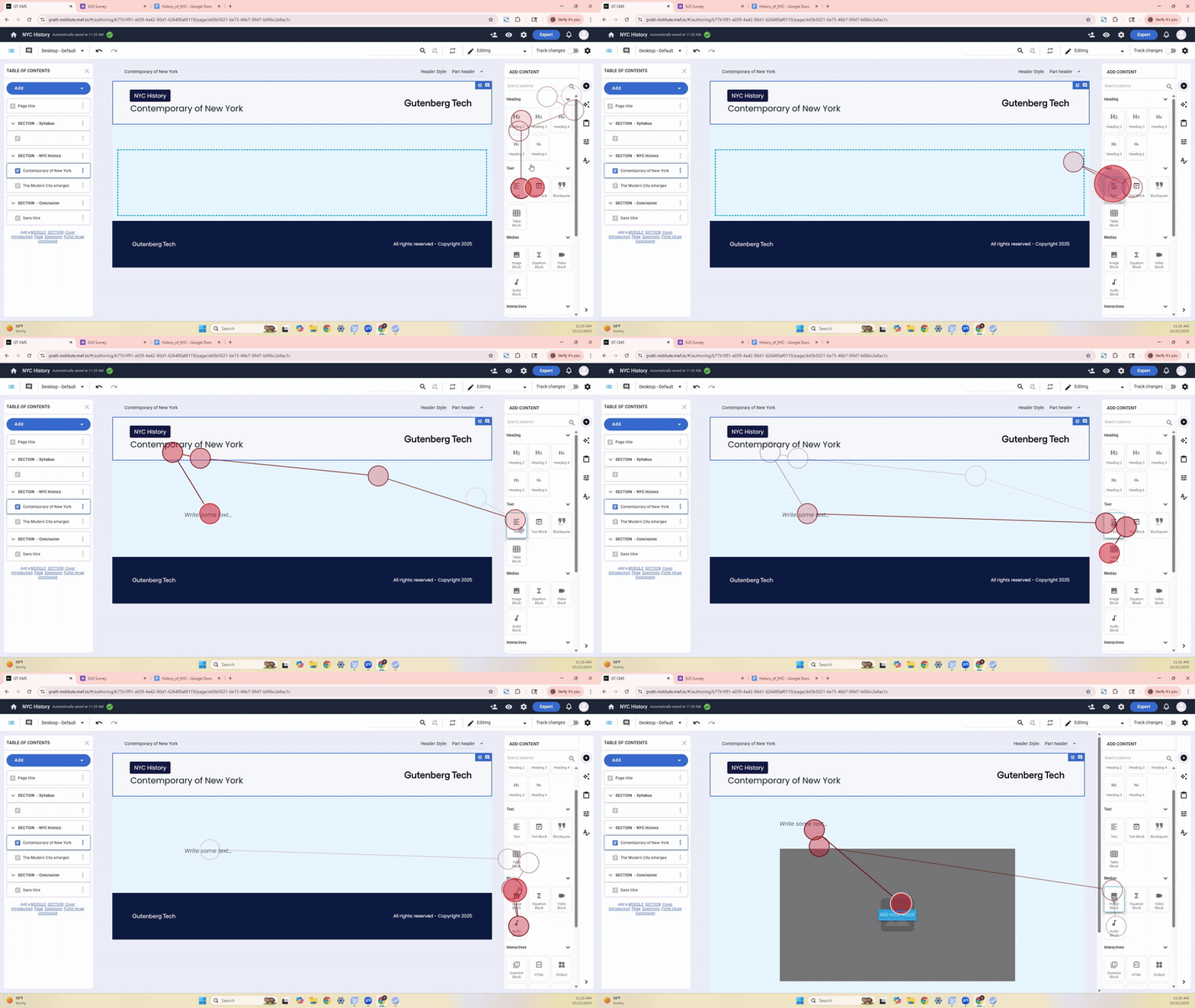
To evaluate how users interpreted the authoring experience, I combined behavioral and attitudinal research methods to uncover not only where users struggled, but how they mentally modeled the system.
I conducted 9 moderated usability sessions with participants representing both target users (technical recruiter, content strategist) and adjacent roles (graduate assistants, content designers, software engineers) to capture diverse perspectives on the authoring workflow.
Eye-Tracking
To observe attention and scanning patterns
Retrospective Think-Aloud (RTA)
To understand user reasoning and thought process
System Usability Scale (SUS)
To establish baseline usability metrics
Research Considerations
Sample Composition
Due to limited access to Gutenberg's enterprise client base, we recruited 9 participants, including 2 who matched the exact target demographic (technical recruiter, content strategist) and 7 who represented adjacent use cases (graduate assistants, content designers, software engineers). While this introduced demographic variability, the consistency of usability issues across all participant types validated that the structural problems were platform-wide, not role-specific.
Technical Learning Curve
Working with Tobii eye-tracking software for the first time required troubleshooting (e.g., heatmap rendering issues), but these challenges reinforced the importance of building adaptable research processes.
Insights
Familiar Interfaces Do Not Guarantee Usable Systems
The research revealed a significant gap between how easily users could learn the interface and how effectively they could use it. Users quickly recognized common UI patterns, resulting in a learnability score of 72.2. However, usability dropped to 56.9 once they attempted real tasks, contributing to an overall SUS score of 60, below the industry benchmark of 68.
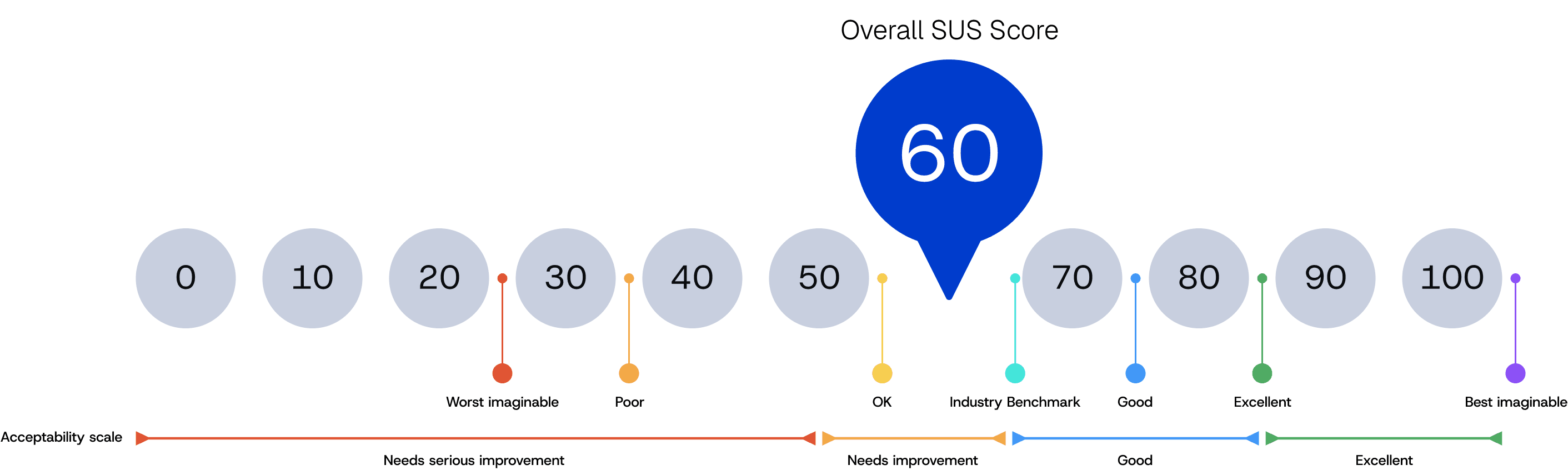
This gap revealed that the issue was not missing features or unclear visuals. The deeper problem was a mismatch between the system’s structure and how users understand content creation workflows. Without a clear mental model, users navigated through trial-and-error rather than understanding how the system behaved.
Solution
Redesigning the System Around How Users Think
Before diving into solutions, it's important to understand why these usability issues matter beyond user frustration:
For Gutenberg, authoring flow friction directly impacts business outcomes:
Onboarding Drop-Off Risk
Enterprise clients evaluate platforms during trial periods. If educators can't create content quickly, trials don't convert to renewals.
Support Cost Burden
When users rely on trial-and-error instead of intuitive workflows, support tickets increase, especially critical as Gutenberg scales its client base.
AI Adoption Blocker
With "Generate with AI" launching, poor discoverability (9/9 participants couldn't use AI features) threatens the success of a key differentiator in a competitive market.
Compounding UX Debt
Launching AI features on top of structurally flawed workflows would multiply confusion, users wouldn't know if issues stem from AI behavior or the underlying system.
Rather than treating symptoms with isolated UI fixes, I redesigned the authoring experience by aligning the system's structure with users' mental models of content creation. The goal was to make interaction patterns explicit, system behavior predictable, and content creation easier to understand from the very first session.
Solving Structural Friction at the System Level
Instead of treating each usability issue as isolated, I identified five recurring interaction patterns where the system consistently communicated poorly:
These patterns created friction across the entire authoring experience, reducing confidence, slowing onboarding, and limiting feature adoption.
Every Solution Addressed Three Layers
Each redesign decision focused on improving the experience across three levels:
Immediate Friction
Reduce hesitation, confusion, and task errors during interaction
System Understanding
Help users build accurate mental models of how the platform works
Scalable Foundation
Establish clearer interaction patterns that support future AI-assisted workflows and product expansion


Client Delivery
Driving Future Development with Research-Backed Solutions
I presented the findings and design solutions in a final readout, connecting observed user behaviors to system-level design decisions. Each design solution was grounded in evidence, helping the team understand not just what to fix, but why it matters.
The final delivery included a comprehensive research and design package, enabling the team to move directly into implementation. This included the presentation deck, usability recordings, highlight reels, gaze analysis, and prioritized design recommendations.
With an authoring flow refactor already planned, this work provided a clear, evidence-based foundation for prioritizing improvements and aligning design decisions with product goals.

Pitch Deck
The pitch deck is to communicate our findings and design solutions in final readout to our clients and stakeholders.
View Our Pitch Deck
Delivered a Research-Backed Foundation for 2026 Authoring Refactor
This project delivered actionable, evidence-based recommendations that directly informed Gutenberg's product roadmap:
Quantified Baseline Usability
Established benchmark metrics (SUS 60, usability 56.9) that created urgency for addressing authoring flow friction before scaling AI features.
De-Risked AI Feature Rollout
Exposed that 9/9 participants couldn't discover or use AI tools, informing how to reposition "Create with AI" in the 2026 redesign.
Identified High-Impact Friction Points
Eye-tracking revealed Pattern 4 (invisible system behavior) had the lowest success rate (0.7) and highest completion time (4.6 min), helping prioritize refactor efforts.
Informed Strategic Prioritization
By surfacing 5 structural patterns instead of isolated UI fixes, the research gave the team a framework for addressing root causes before scaling AI capabilities.
“Great to have a fresh view on something we’re so accustomed to, especially because we’re hoping to refactor our creation flow next year. This is going to be very useful for us for our upcoming work.”
— Gutenberg Technology Team
Reflection
Research Under Real-World Constraints Shapes Better Solutions
This project taught me that designing for complex systems requires understanding not just the interface, but the mental models users bring to it. The gap between learnability (72.2) and usability (56.9) revealed that familiarity with UI patterns doesn't guarantee comprehension of system behavior. This reframed the problem from "make it simpler" to "make the structure explicit."
Working with limited access to Gutenberg's target users meant recruiting creatively, only 2 of 9 participants matched the exact demographic (technical recruiters, content strategists), so we included adjacent roles (graduate assistants, content designers). While this introduced variability, the consistency of usability issues across all participant types validated that the structural problems were platform-wide, not role-specific. This reinforced an important lesson: sometimes constraints force you to test broader assumptions, which can reveal more fundamental issues than narrow user targeting would.
Managing the research execution, from developing the moderator's script to troubleshooting Tobii's heatmap rendering failures, also expanded my perspective on what "leading research" actually means. It's not just facilitating sessions; it's anticipating technical risks, coordinating team problem-solving, and ensuring deliverables align with client timelines and product roadmaps. If I were to extend this work, I'd focus on validating whether our structural recommendations actually improved comprehension over time, and quantifying the business impact on support costs and onboarding efficiency.