Hooked on Phonics
A navigation and IA redesign of a content-rich education platform, improving resource discoverability and reducing friction for parents seeking learning materials.
Objective
Redesign the platform’s navigation and information architecture to reduce friction, improve content discoverability, and enable parents to find and access learning resources more efficiently.
Role
Product Designer Project Manager
Client
Hooked on Phonics
Team
Gloria Y, Aayushi B, Anvita S, Conor M
Duration
3 months, Sep - Dec 2025
Prototype
Responsibilities
Led end-to-end project planning and coordination, aligning scope, timeline, and deliverables
Conducted user research to uncover navigation and content discovery issues
Redesigned information architecture to improve content organization
Designed interaction flows and high-fidelity interfaces
Built interactive prototypes and validated solutions through usability testing
Context
Improving Navigation and Content Discovery in a Learning Platform
Hooked on Phonics is an early childhood learning platform that provides structured reading programs and educational resources for parents and their children.
Parents come to the platform to find, evaluate, and choose learning materials that match their child’s level and needs. However, the Learning Resources section functioned as a content library, not a decision-making tool.
As a result, parents relied on trial-and-error to explore content, leading to hesitation, drop-offs, and underutilization of available resources.
I redesigned the navigation and information architecture to transform scattered browsing into a guided learning experience that supports faster, more confident decision-making.
Solution
Bringing Clarity to Learning Discovery
The final designs present a clearer, more intuitive Learning Resources experience for parents.

Define the Problem
When Navigation Doesn’t Match How Users Think
The Learning Resources section was underperforming, initially framed as a visibility and UI issue. Stakeholders assumed that improving layout and surface-level clarity would resolve the problem.
However, early research revealed a deeper issue: this wasn’t a visibility problem, it was a decision-making breakdown.
Parents weren’t struggling due to lack of content. They struggled because the system didn’t support how they naturally find, evaluate, and choose learning materials.
As a result, decision-making broke down:
Users hesitated at key entry points
Exploration relied on trial-and-error instead of intent
Content structure was unclear, making it difficult to choose what to use next
This pointed to a fundamental gap:
The platform’s structure did not align with users’ mental models.
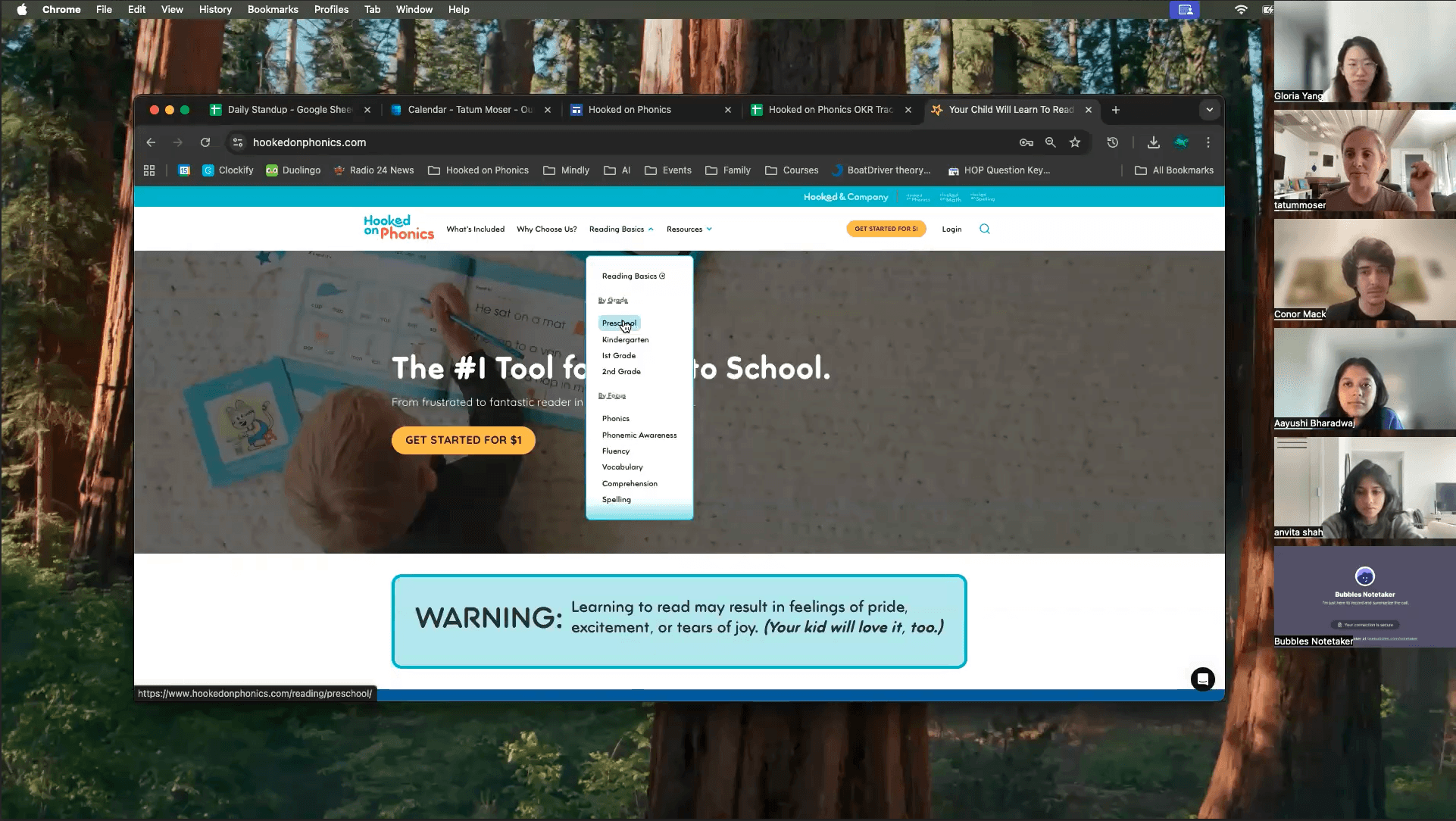
Reframing the Problem
We reframed the problem as a decision-making gap, not a visibility issue. The platform was designed as a content library, but users approached it as a tool to find, evaluate, and choose the right learning materials.
Because the system didn’t support this behavior, parents struggled to navigate with confidence.
The core issue wasn’t missing content, it was the absence of a system that supports confident, guided decision-making.
Key Insights
Where the Experience Breaks Down?
These breakdowns revealed where the experience failed to support decision-making:
INSIGHT 1 – CONTENT IS HARD TO FIND
Users struggled to find relevant content, slowing decision-making
Top navigation lacks clarity & hierarchy: with lack of clear entry points, unclear language, and overlapping labels
Search functionality goes unnoticed and there is inconsistency in how the search functionality works across the site
Filters are unpredictable: content filters resemble a side nav, the filter results aren’t properly communicated with the user
INSIGHT 2 – EXPLORATION DOESN'T LEAD TO PROGRESSION
Users couldn’t move forward after finding content, limiting engagement and learning progression
Breadcrumb structure is inconsistent & doesn’t allow easy backtracking
Users miss links while scrolling
Users misunderstand sneak peak videos of the app as playable games on the website
Users expect guidance to the next relevant resource
INSIGHT 3 – CORE PRODUCT IS NOT CLEARLY DEFINED
Unclear product offering reduced confidence and conversion readiness
Users don’t know the overall product offering
The homepage does not define the product
“Get Started for $1” creates confusion rather than entice users to pay
Users want to experience the product before subscribing
Strategic Direction
From fixing pages to designing a learning journey
Based on these key insights, we established following strategic direction to guide our design decisions.
Design a continuous, exploration-based user experience that helps parents guide their children’s learning journey, while clearly communicating the extent of free and paid product offerings.
Build a continuous, exploration-based experience
Supporting users in navigating the site through multiple entry points to find the resource they need.
Support a guided learning journey
Providing clear direction on what resources to use next to support child's learning progress
Communicating free & paid product offerings
Connect free and paid resources, making it easy for the users to understand the breath of offerings.
Ideation
Translating Insights into Product Decisions
Instead of redesigning individual pages, I focused on resolving three critical breakdowns in how users find, evaluate, and progress through content.
Each design decision targets a specific failure in the learning journey, transforming the experience from fragmented exploration into a guided system.
Validation
Did the new structure actually reduce friction?
After refining the high-fidelity designs, I conducted 5 moderated usability sessions with parents of preschool and early-elementary children (30–45 minutes each).
The goal was to validate whether the redesigned experience aligned with how parents expect to find, evaluate, and act on learning content.
What Changed?
What We Didn't Fully Solve
Outcomes & Impact
Turning Learning Resources into a Growth Engine
The redesign transformed Learning Resources from a passive content library into a strategic entry point that drives discovery, engagement, and product understanding.
By aligning the experience with parent mental models, the system now supports clearer decision-making and more intentional navigation.
Behavioral Outcomes
100% task completion
All participants successfully found grade-specific resources
Reduced hesitation
Users navigated directly without backtracking or confusion
Stronger engagement
Users explored related content and next steps easily
Clearer product understanding
Users correctly interpreted the offer after copy refinement
Product-Level Impact
Strengthened Learning Resources as a top-of-funnel discovery entry point
Improved clarity of free vs paid offering, reducing conversion friction
Created a foundation for scalable content organization and future growth
“The redesign opens up a lot of opportunities and really helps us think through what we should prioritize next.”
— Our Client, Tatum
"Once again, thank you all for a splendid presentation. It’s obvious you understood our site and our various needs. I’m so impressed by the depth of your suggested solutions. I know we’ll be spending a lot of time poring over your IA diagram."
— HoP Stakeholder, Donna